







URL has been copied successfully!

Callback to a Raw IP Address and Potential Issues
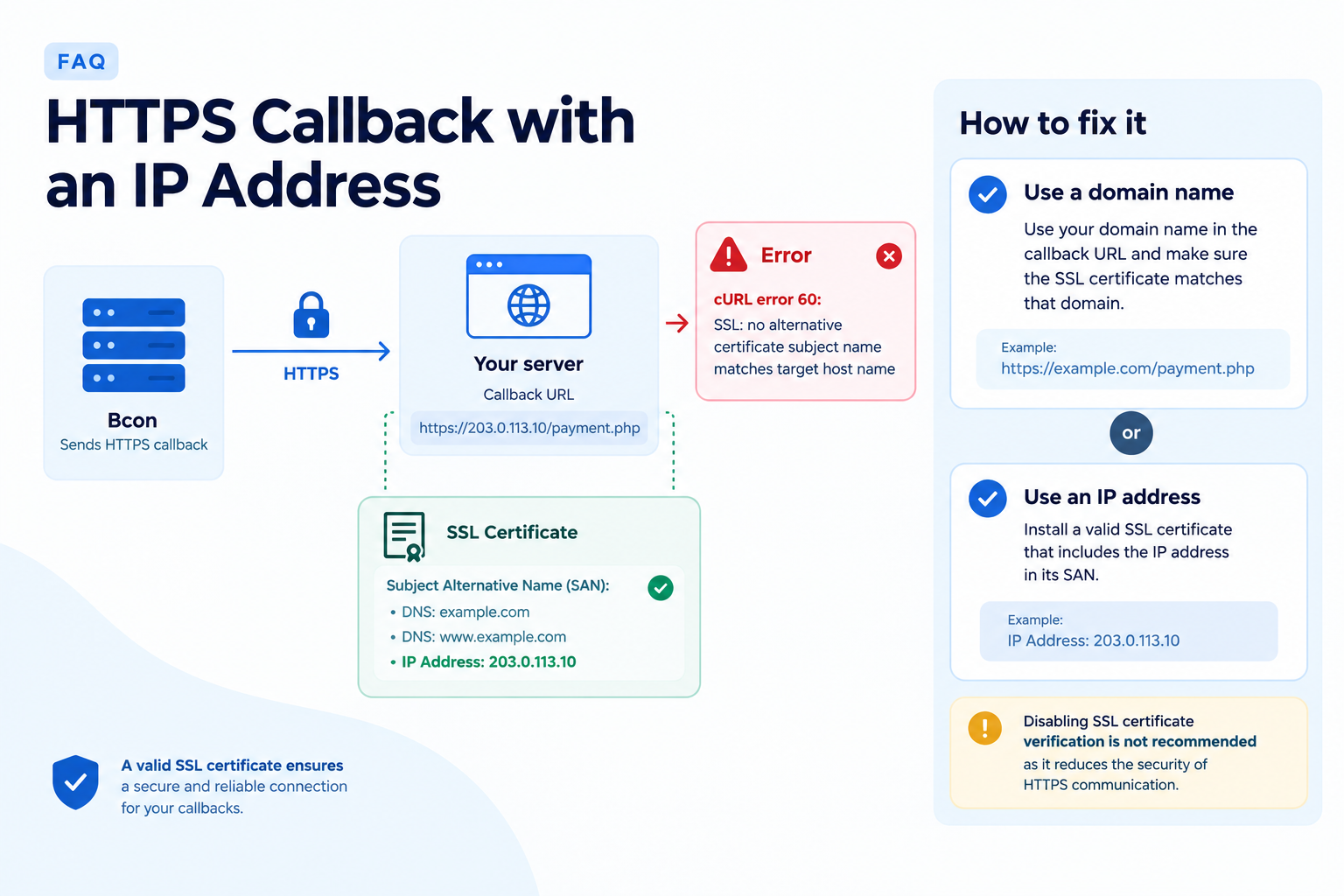
Bcon supports HTTPS callbacks using either a domain name or an IP address. However, when an IP address is used, the SSL/TLS certificate on your server must explicitly include that IP address in its Subject Alternative Name (SAN).
For example, if your callback URL is:
 https://23.0.11.10/payment.php
the SSL certificate must contain:
IP Address: 23.0.11.10
A certificate issued only for your domain, such as:
DNS:example.com
DNS:www.example.com
will not be valid when the server is accessed by its IP address. In this case, Bcon may return:
cURL error 60: SSL: no alternative certificate subject name matches target host name
How to fix it
You can either:
- Use your domain name in the callback URL and make sure the SSL certificate matches that domain; or
- Keep using the IP address and install a valid SSL certificate that includes the IP address in its SAN.
Disabling SSL certificate verification is not recommended because it reduces the security of HTTPS communication.
URL has been copied successfully!