
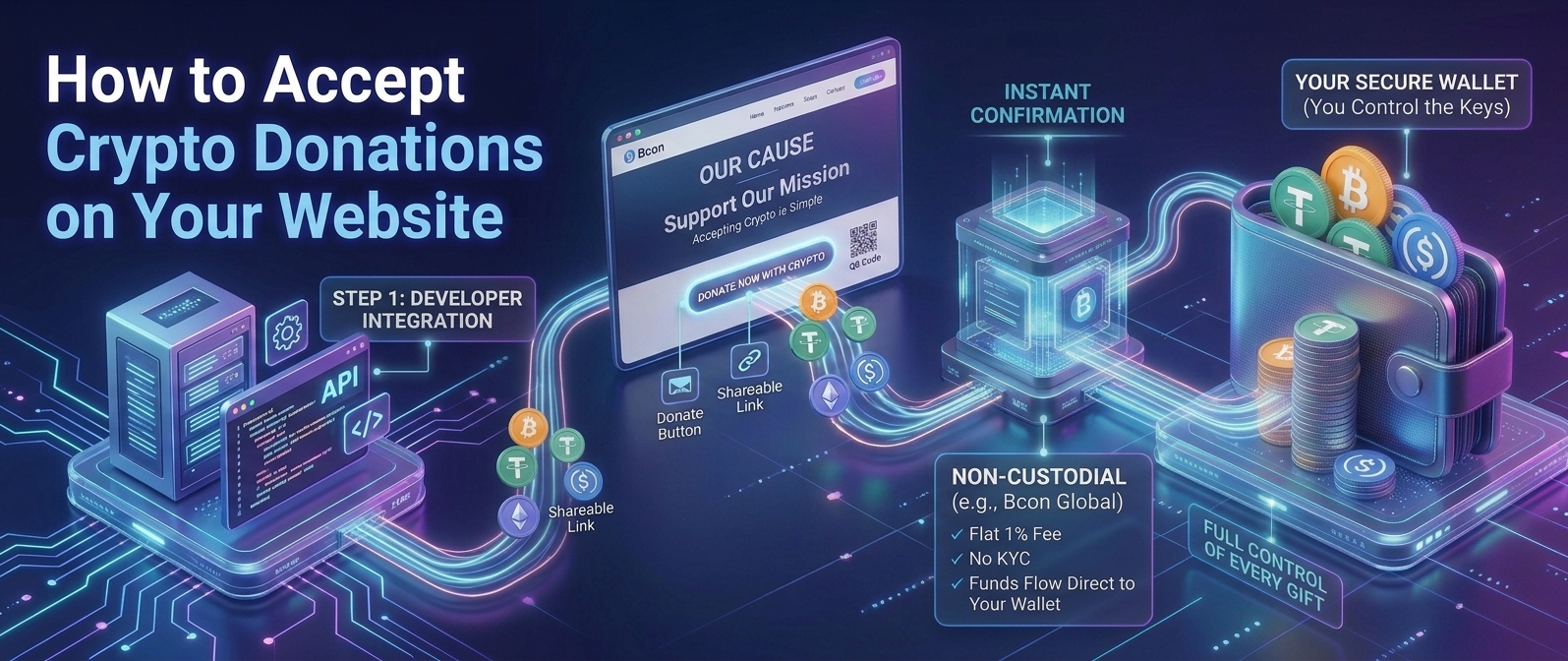








How to Accept Crypto Donations on Your Website
Crypto donations have become a serious fundraising channel – donors give Bitcoin and stablecoins to charities, creators and open-source projects because it is fast, global and low-fee. Adding a way to accept them is simpler than most organizations expect. At Bcon Global we help projects receive crypto straight to their own wallets, so this guide shows how to accept crypto donations on your website, what you need, how to add a donation button, and how to keep every gift under your control.
Whether you run a nonprofit, a creative project or a community effort, the steps are the same. Let us look at why crypto donations are worth enabling first.
Why Accept Crypto Donations?
Crypto giving is growing because it removes friction that traditional donations create. The advantages are concrete:
- Lower fees. More of each gift reaches your cause instead of a card processor.
- Global donors. Anyone with a wallet can give, from anywhere, instantly.
- Larger gifts. Crypto holders often donate appreciated assets and give generously.
- Transparency. On-chain records make donations easy to verify and report.
- No chargebacks. Gifts are final once confirmed.
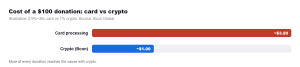
As the chart shows, the fee difference means more of every donation reaches the cause. On a hundred-dollar gift, card processing might take over three dollars, while a 1% crypto route takes about one – a meaningful gap across a fundraising campaign.
What You Need to Start
Accepting crypto donations requires only a few basics, and no bank-style merchant account:
- A crypto wallet you control, where donations will land.
- A non-custodial gateway to generate donation links and confirm gifts.
- A place to show the option – a donation button, page or QR code on your site.
With a non-custodial provider you generally skip KYC entirely, connect a wallet, and go live quickly. Your donors do not need an account with you – they simply send from their own wallets.
How to Add Crypto Donations, Step by Step
Here is the practical sequence to start receiving crypto gifts:
- Set up a non-custodial wallet and secure its seed phrase.
- Create a gateway account and link your wallet address.
- Generate a donation link or QR code, optionally with suggested amounts.
- Add a “Donate with Crypto” button to your website or campaign page.
- Enable the coins donors use – Bitcoin plus stablecoins like USDT and USDC.
- Test a small donation, then promote it.
Once live, a donor clicks the button, chooses a coin, and sends the gift. The payment settles to your wallet and the gateway confirms it – no manual checking required.
Donation Button vs Payment Link vs Address
You can accept donations in a few ways, and each suits a different setup:
| Method | Best for | Notes |
| Donation button | Websites | Cleanest on-page experience |
| Payment link | Email, social, campaigns | Easy to share anywhere |
| QR code | In-person, print, streams | Scan-to-give convenience |
| Raw wallet address | Simple/technical audiences | No amount or network guidance |
For most organizations, a button on the site plus a shareable link covers online and campaign giving. A QR code is ideal for events and live streams.
Tax, Transparency and Best Practices
A few practices keep crypto fundraising clean and trustworthy. Accept stablecoins alongside Bitcoin so donors can give steady value, and always show which coins and networks you accept to avoid mis-sent gifts. Keep records of the value of each donation at the time it arrives, since reporting rules apply to your organization. Because every gift is on a public ledger, you can point supporters to transparent, verifiable records – a genuine trust advantage for nonprofits.
Offer a receipt or acknowledgment when a donation confirms, just as you would for a card gift, to keep the donor experience professional.
Keep Every Gift in Your Control
For a charity or project, control of funds is not a nice-to-have – it is essential. Some donation tools hold the crypto and pay you out later, which adds delay and risk. A non-custodial approach sends each gift straight to your own wallet.
Every donation should land in your wallet the moment it is given – not sit with a third party waiting for a payout. That is what keeps fundraising trustworthy.
This is how Bcon Global works. You link your wallet, and each donation settles directly to it – non-custodial, no KYC, flat 1% fee. Bcon confirms the gift and notifies you, but never holds the funds. For nonprofits and creators, that means lower fees, instant access to donations, and full control of every gift received.
Frequently Asked Questions
How do I accept crypto donations on my website?
Set up a wallet, connect it to a non-custodial gateway, generate a donation link or button, enable Bitcoin and stablecoins, and add it to your site. Most projects are live the same day.
Do I need KYC to accept crypto donations?
With a non-custodial gateway like Bcon, no KYC is required. You connect a wallet and start, and donations settle directly to you.
Create a donation link in your gateway and embed its button on your site, or link the button to your donation page. Add a QR code for events and streams.
Are crypto donations traceable?
Yes. Blockchains are public ledgers, so every donation is recorded and verifiable, which supports transparent reporting for nonprofits.
What are the fees on crypto donations?
With Bcon it is a flat 1% per transaction, and donors pay a small network fee. That leaves far more of each gift for your cause than card processing.
Accepting crypto donations is a fast, low-cost way to reach global donors and keep more of every gift. Add a donation button and link, enable Bitcoin and stablecoins, and keep clean records for transparency and tax.
To make sure every gift stays yours, Bcon Global settles donations directly to your own wallet – non-custodial, no KYC, 1% fee – so you can fundraise in crypto with full control.