
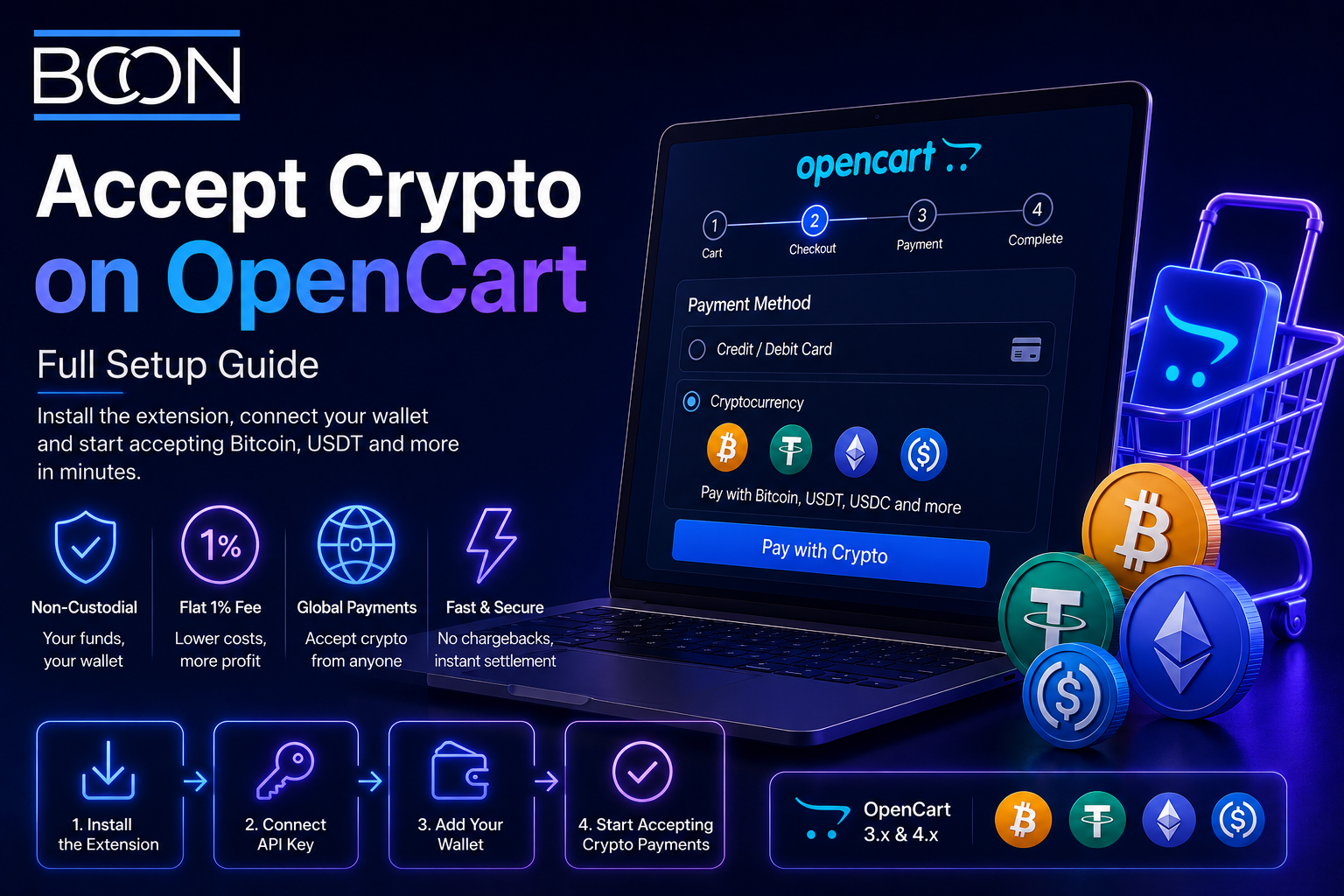








Accept Crypto on OpenCart: Full Setup Guide
OpenCart is a lightweight, popular platform for online stores, and adding cryptocurrency to it takes only a short setup. With the right extension you can accept Bitcoin, USDT, USDC and more without writing code, and route every payment straight to a wallet you control. At Bcon Global we provide an OpenCart extension built for exactly this, so this guide walks through the full process, the settings to check and how to keep your funds and store secure.
Whether you run OpenCart 3 or 4, the approach is the same. By the end you will have a crypto option live at checkout and know how it behaves day to day.
Why Add Crypto to OpenCart?
Crypto brings measurable benefits to an OpenCart store, not just a modern checkout badge. The main reasons merchants enable it are:
- Lower fees than card processors, often a flat 1% versus 2.5-4%.
- No chargebacks, since on-chain payments are final.
- Global customers who pay in crypto or lack easy card access.
- Fast, direct settlement to a wallet you own.
- No frozen balances with a non-custodial provider.
For a store already built on OpenCart, these gains arrive through a single extension rather than a costly redevelopment.
What You Need Before You Start
The setup is quick when the essentials are ready. You will need:
- An OpenCart store (version 3 or 4) with admin access.
- A crypto wallet address you control, to receive payments.
- A non-custodial gateway account that offers an OpenCart extension and API key.
With a non-custodial provider you usually skip KYC entirely, and there is no traditional merchant account to apply for.
Step-by-Step: Adding Crypto to OpenCart
Here is the exact sequence to go live. Most stores finish in around twenty minutes.
- Create your gateway account and connect the wallet address that will receive funds.
- Download the OpenCart extension and upload it through the Extension Installer in your admin.
- Enable the extension under Extensions and open its settings.
- Paste your API key from the gateway dashboard to link your account.
- Select the coins you want to accept, such as BTC, USDT and ETH, and set your store currency.
- Run a test order to confirm the checkout, then set the payment method to enabled.
Once live, customers see a crypto option at checkout, choose a coin, and pay. The extension detects the transaction, waits for confirmations and updates the order status automatically.
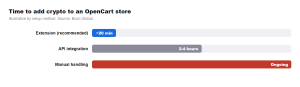
As the chart shows, the extension route is the fastest and safest path for most stores. An API integration gives developers deeper control, while handling payments manually is slow and risky and is best avoided on a live shop.
Extension vs API: Which to Choose
Both connect OpenCart to the blockchain, but they suit different needs. This comparison helps you decide.
| Factor | OpenCart extension | Custom API |
| Setup effort | Low, no code | Higher, developer needed |
| Time to live | ~20 minutes | Hours |
| Customization | Standard checkout | Full control |
| Maintenance | Extension updates | Your responsibility |
| Best for | Most OpenCart stores | Bespoke builds |
For the majority of merchants the extension is ideal. You can adopt the API later if you move to a custom or headless setup.
Keep Control: Choose a Non-Custodial Extension
The most important quality in any OpenCart crypto extension is custody. A custodial option routes payments through the provider’s wallets first, adding delay and risk. A non-custodial extension sends each payment directly to your own wallet.
With a non-custodial OpenCart extension, your revenue lands in your wallet the moment a customer pays – it never sits with a third party.
This is how the Bcon extension works: direct-to-wallet settlement, no KYC to begin, a flat 1% fee and support for 50+ coins across multiple blockchains. OpenCart manages the orders while you keep full control of the money.
Security and Everyday Operation
A few practices keep the setup safe and smooth. Keep OpenCart and the extension updated, since outdated software is the main risk on any store. Protect your wallet’s seed phrase and never share private keys – the extension only needs a public address and an API key. After any change, run a quick test order to confirm the checkout still completes correctly.
Refunds work differently from cards: because crypto is final, you return funds manually from your wallet to the customer’s address, which keeps you in control and removes forced reversals. Make your accepted coins and networks clear on the checkout page to reduce mis-sent payments.
Which Coins and Networks to Enable
Enabling the right mix of coins improves checkout completion, because a customer who cannot pay with their preferred asset often leaves. A sensible default covers the assets most buyers actually hold. Start with Bitcoin for reach, add Ethereum for the EVM audience, and include USDT and USDC so price-sensitive customers can pay in stable value.
Networks matter as much as coins for stablecoins. The same USDT exists on Tron (TRC20), Ethereum (ERC20) and other chains, each with different fees and speeds, so offering more than one network lets customers pay on whichever chain they already use. The Bcon extension lets you toggle coins and networks from the settings, so you can match your storefront to your audience. Review which options customers pick after a few weeks and prune any that go unused to keep the checkout clean.
Frequently Asked Questions
How do I accept crypto on OpenCart?
Install a crypto extension, connect your wallet address, add your API key, enable your coins and run a test order. Most stores are live in about twenty minutes.
Do I need coding skills to add crypto to OpenCart?
No. The extension requires no code. Coding is only needed for a fully custom API integration.
Is KYC required to accept crypto on OpenCart?
With a non-custodial gateway like Bcon, merchant KYC is generally not required, because it never holds your funds and needs only a public wallet address.
Which coins can I accept on OpenCart?
With Bcon you can accept Bitcoin, Ethereum, USDT, USDC and 50+ other assets across several blockchains from one extension.
What does an OpenCart crypto extension cost?
The Bcon extension uses a flat 1% service fee per payment with no monthly minimums, while the customer pays the network fee.
Adding crypto to OpenCart is a fast, low-cost upgrade: one extension delivers lower fees, no chargebacks and direct-to-wallet settlement. Pick a non-custodial option and you keep control of every payment while OpenCart handles the orders.
Ready to enable crypto on your store? The Bcon OpenCart extension lets you accept BTC, USDT and more in minutes, straight to your wallet.