








How to Accept Bitcoin Payments: Merchant Guide
Adding Bitcoin to your checkout is far simpler than most business owners expect, and it opens your store to millions of customers who prefer to pay on-chain. You do not need to understand mining or run a node. You need a wallet you control and a way to turn an incoming transaction into a paid order. At Bcon Global we set merchants up to receive BTC every day, so this guide walks through exactly what you need, the setup steps, the real costs and how to keep full control of your money.
Bitcoin remains the most recognized and widely held cryptocurrency, which makes it the natural first coin to support. Whether you sell physical goods, digital products or services, the process below applies. Let us start with why it is worth doing.
Why Accept Bitcoin Payments?
Bitcoin is not just a novelty at the till; it solves several practical problems that card networks create for merchants. The benefits stack up quickly:
- Lower fees. Card processing often costs 2.5-4% per sale once you count interchange and cross-border surcharges. A lean Bitcoin setup runs closer to 1%.
- No chargebacks. On-chain transactions are final. Once a payment is confirmed, the money is yours, which removes friendly-fraud disputes.
- Global reach. Anyone with a wallet can pay you, including customers in regions with limited banking or card access.
- Fast settlement. Funds arrive in minutes and, with the right setup, land directly in a wallet you own.
- No frozen balances. A non-custodial gateway never holds your revenue, so it cannot be locked for a review.
Together these turn Bitcoin from a marketing badge into a genuine cost and cash-flow advantage for your business.
What You Need to Start
Accepting BTC comes down to three building blocks. Once these are in place, the rest is configuration.
- A Bitcoin wallet you control. This is where payments land. A non-custodial wallet keeps the private keys in your hands, so no third party can move your funds.
- A crypto payment gateway. This is the software that shows a payment request at checkout, watches the blockchain and confirms the transaction. It is the merchant-facing engine.
- A store integration. Either a ready-made plugin for platforms like WooCommerce and OpenCart, or a simple API for a custom site.
That is the entire toolkit. You do not need a bank-style merchant account, and with a non-custodial provider you usually do not need to pass KYC to begin.
How to Accept Bitcoin: Step by Step
Here is the practical sequence most merchants follow to go live. The whole process can be done in an afternoon.
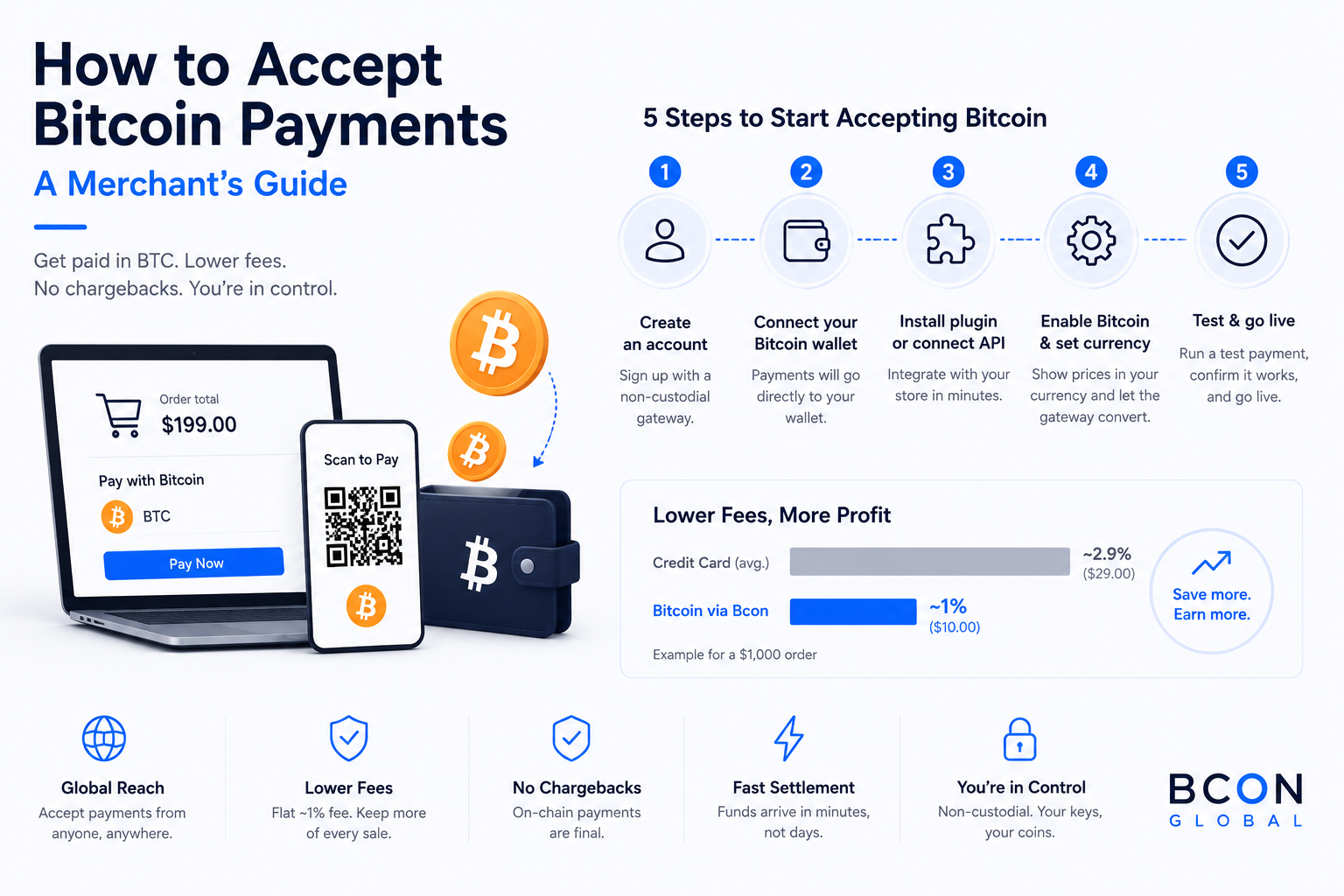
- Choose a non-custodial gateway and create an account.
- Connect your Bitcoin wallet address so payments settle directly to you.
- Install the plugin or connect the API on your store and enable Bitcoin.
- Set your display currency so prices convert automatically from USD to BTC at checkout.
- Run a test payment to confirm the flow end to end, then switch it live.
When a customer checks out, they pick Bitcoin, scan a QR code or copy an address, and send the payment. The gateway detects the transaction, waits for confirmations and marks the order paid – no manual reconciliation on your side.
Bitcoin Payments: Fees and Costs
Understanding costs helps you price correctly and see the savings. There are two separate charges, and they are not the same thing.
| Cost type | Who pays | Typical amount |
| Gateway service fee | Merchant | Flat ~1% per payment (Bcon) |
| Network (miner) fee | Sender / customer | Varies with congestion |
| Monthly minimums | Merchant | None with Bcon |
| Chargeback fees | Merchant | None (no chargebacks) |
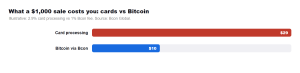
The chart makes the difference concrete. On a $1,000 order, typical card processing takes around $29, while a 1% Bitcoin gateway takes about $10. Across a year of sales, that gap turns into real margin you keep.
Custodial vs Non-Custodial: Keep Control of Your BTC
This is the single most important decision when you accept Bitcoin. A custodial service collects payments into its own wallets and pays you out later, which reintroduces the frozen-funds and counterparty risk that crypto is meant to remove. A non-custodial gateway routes each payment straight to your wallet and never holds the keys.
The safest Bitcoin setup is the one where your money never sits in someone else’s wallet, even for a minute.
This is exactly how Bcon Global works: BTC settles directly to an address you own, there is no KYC to start, the fee is a flat 1%, and you can add other coins like USDT, USDC and Ethereum through the same integrations. You get the convenience of a gateway with none of the custody risk.
Confirmations and Security
A Bitcoin payment is not “done” the instant it is broadcast; it becomes final as the network confirms it. Most merchants treat a payment as settled after two to three confirmations, which usually takes a short time depending on network load. For small orders, one confirmation is often enough, while high-value orders may wait for more.
Security on your side is straightforward. Protect your wallet’s seed phrase, never share private keys, and consider a hardware wallet for larger balances. Because the gateway only needs a public address, it can watch for incoming payments without ever being able to spend them.
Common Mistakes to Avoid
A few avoidable errors trip up new merchants. Watch for these:
- Using an exchange deposit address as a checkout – there is no order tracking and your funds sit with a third party.
- Ignoring price volatility – accept during a short payment window or lean on stablecoins alongside BTC for price-sensitive orders.
- Sharing private keys with any tool – a legitimate gateway never asks for them.
- Skipping a test transaction before going live.
Frequently Asked Questions
How do I start accepting Bitcoin payments?
Create an account with a non-custodial gateway, connect your Bitcoin wallet address, install a plugin or the API, enable BTC and run a test payment. You can be live the same day.
Do I need a merchant account to accept Bitcoin?
No. Unlike card processing, you do not need a traditional merchant account. A non-custodial gateway needs only your public wallet address.
How much does it cost to accept Bitcoin?
Expect a flat service fee around 1% with Bcon, plus a network fee paid by the customer. There are no monthly minimums or chargeback fees.
How long do Bitcoin payments take to confirm?
A transaction typically reaches two to three confirmations within a short time. Many stores treat one confirmation as enough for smaller orders.
Is accepting Bitcoin safe for my business?
Yes. With a non-custodial gateway, funds go straight to a wallet you control and payments are final, so there are no chargebacks. Keep your seed phrase secure and you are protected.
Accepting Bitcoin is a low-cost, high-upside upgrade for almost any online business. With a non-custodial gateway you get direct-to-wallet settlement, a flat 1% fee, no chargebacks and access to customers worldwide. The setup takes an afternoon, not a project.
Ready to receive your first BTC payment? Bcon Global lets you accept Bitcoin and 50+ other coins while keeping full control of your funds.